Play any local .mp4 video file as a fullscreen screensaver
across all your monitors — powered by mpv with hardware acceleration.
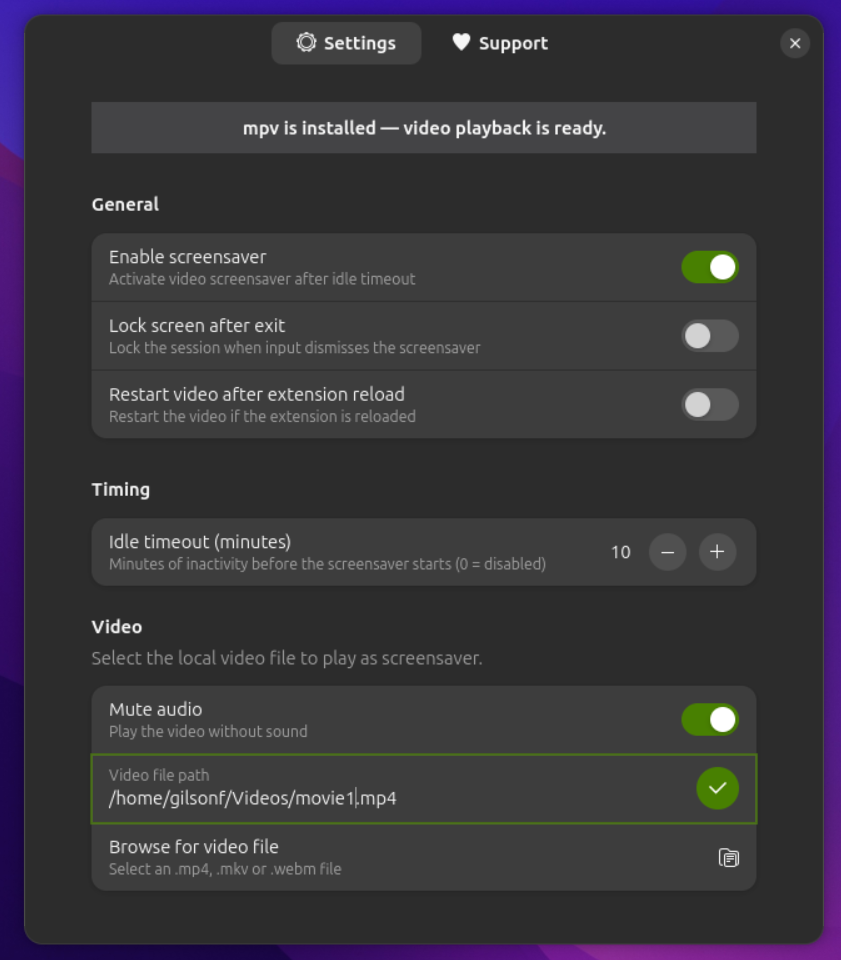
⚙️ Preferences window — idle timeout, video path, lock screen & mute options
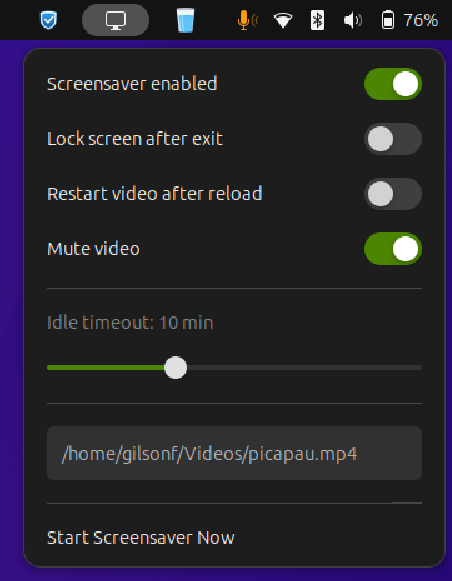
🎬 Top-bar indicator — quick-access controls without opening preferences
What you get
Tight integration with GNOME Shell — no system hacks, no background daemons.
Video plays on every connected display simultaneously. Secondary monitors are blacked out if a direct output can't be targeted.
Runs mpv with --hwdec=auto — offloads decoding to your GPU for smooth 4K playback with minimal CPU usage.
Set how many minutes of inactivity trigger the screensaver. Uses GNOME's native idle monitor for reliable detection.
mpv's watch_later feature saves the playback position. The next time the screensaver starts, it continues from the same point.
Automatically lock the session when the screensaver is dismissed — ideal for shared workstations and public displays.
Enable or disable audio directly from the top-bar indicator or the preferences window. Secondary screens are always muted to prevent duplicate audio.
A discreet panel indicator gives instant access to enable/disable, mute, and "Start Now" without opening the full preferences window.
Listens to the system's sleep signal via logind and stops the screensaver cleanly before the machine suspends.
First-class support for Wayland using Mutter's output APIs. Falls back gracefully to X11 screen-index targeting on older setups.
Before you begin
Movie Screensaver is a pure GNOME Shell extension — the only external dependency is mpv.
| Dependency | Version | Notes |
|---|---|---|
| GNOME Shell | 47, 48 or 49 | Required |
| mpv | any recent | Required — the video player backend |
| GJS | bundled with GNOME | Included — no separate install needed |
Install mpv for your distribution:
# Ubuntu / Debian
sudo apt install mpv
# Fedora / RHEL
sudo dnf install mpv
# Arch Linux
sudo pacman -S mpv
# openSUSE
sudo zypper install mpv
Get started
Clone the repository and run the install script — done in under a minute.
git clone https://github.com/\
gilson-fonsaca/movie_screensaver.git
cd movie_screensaver
chmod +x install.sh
./install.sh
Compiles the GSettings schema and copies the extension to
~/.local/share/gnome-shell/extensions/.
On X11: press Alt+F2, type r, hit Enter.
On Wayland: log out and log back in.
Open GNOME Extensions, enable Movie Screensaver, then click the top-bar icon to set your video file and idle timeout.
To uninstall:
./uninstall.sh
Add --keep-settings to preserve your GSettings configuration.
Keep it going
Movie Screensaver is free and open-source. If it brightens your desktop, consider buying the developer a coffee.
Your support helps maintain the extension, fix bugs, and add new features. Every coffee counts!
☕ Donate on Buy Me a CoffeeContributions, bug reports, and feature requests are welcome on GitHub. Open an issue or submit a pull request!
View on GitHub